> [!CAUTION]
> **Caution** : Document AI Warehouse is deprecated and will no longer be available on Google Cloud after January 16, 2025. To safeguard your data, migrate any documents currently saved in Document AI Warehouse to an alternative like Cloud Storage. Verify that your data migration is completed before the discontinuation date to prevent any data loss. See [Deprecations](https://docs.cloud.google.com/document-warehouse/docs/deprecations) for details.
> [!WARNING]
>
> **Preview**
>
>
> This feature is
>
> subject to the "Pre-GA Offerings Terms" in the General Service Terms section of the
> [Service Specific
> Terms](https://docs.cloud.google.com/terms/service-terms#1).
>
> Pre-GA features are available "as is" and might have limited support.
>
> For more information, see the
> [launch stage descriptions](https://cloud.google.com/products/#product-launch-stages).
> [!NOTE]
> This feature is subject to the [Data Processing and Security
> Terms](https://cloud.google.com/terms/data-processing-terms) and the [GenAI Trusted Tester Terms of Service](https://cloud.google.com/trustedtester/aitos).
> [!NOTE]
> **Note:** You can **report suspected abuse** of the service or any generated output that contains inappropriate material or inaccurate information [through this form](https://support.google.com/code/contact/cloud_platform_report).
This document describes how to export documents from Document AI Warehouse to
Cloud Storage and to a dataset of a
[custom document extractor (CDE)](https://docs.cloud.google.com/document-ai/docs/processors-list#processor_cde)
in Document AI Workbench.
## Export documents
Do the following to export documents.
1. Open [documents page](https://console.cloud.google.com/ai/docai-warehouse/documents).
2. Select one or more documents from the table, then click **Export**.
3. Fill in **Folder path** in Cloud Storage as the export destination.
4. Select **Export settings** and choose an option:
- Select **Export documents only** to only export documents to Cloud Storage
- Select **Export to Document AI Processor** to also export documents to a dataset of [custom document extractor (CDE)](https://docs.cloud.google.com/document-ai/docs/processors-list#processor_cde) in Document AI Workbench.
5. Optional: Select Document AI Workbench **Processor** and **Data split**.
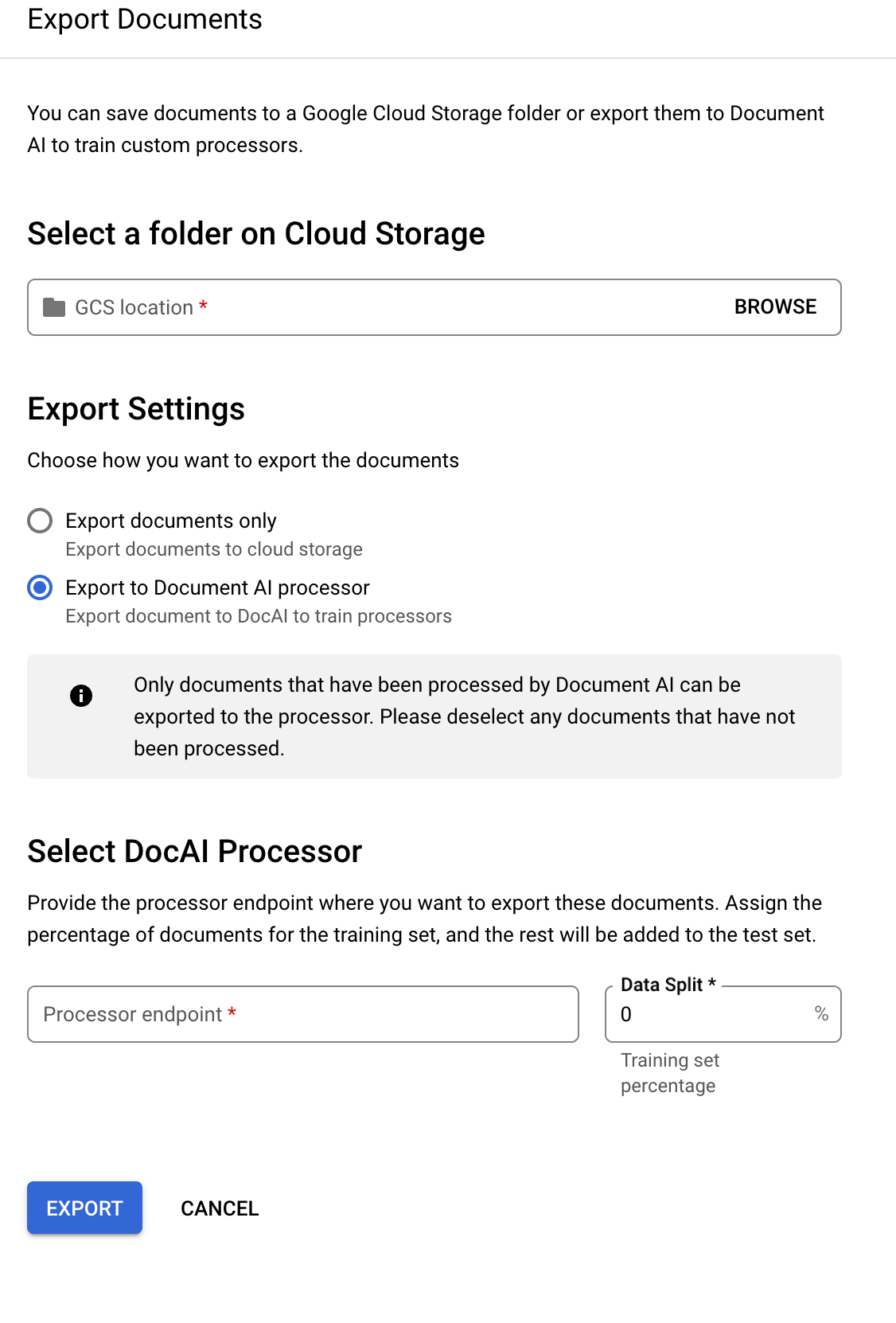
6. Click **Export** , then you can find the exporting progress details on the
**Job detail** page.